Copy App Screens Into Figma as Editable Layers, Not Screenshots
If you have ever copied a screen from Mobbin or Refero into Figma, you know the letdown: what lands on your canvas is a flat screenshot. You cannot restyle it, rename a layer, or build on it. It is a picture of a design — not a design.
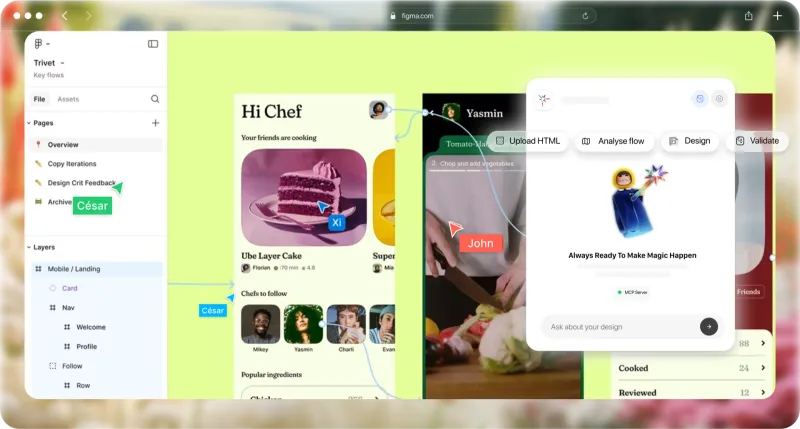
Flaude takes a different approach. It copies real app screens and full flows into Figma as fully editable components and layers, then lets Claude AI restyle and extend them right on your canvas.
Here is the honest, side-by-side breakdown.
The comparison
| Feature | Flaude | Mobbin | Refero |
| Pastes as editable components & layers | Real editable layers | Flat screenshot | Flat screenshot |
| Restyle & rebuild after paste | Fully editable | It is an image | It is an image |
| Live Claude-to-Figma pipeline | Build via MCP | Not offered | Not offered |
| Complete, sequenced user flows | Copy the full flow | As screenshots | As screenshots |
| Web + iOS coverage | Web + iOS | Web + iOS | Web + iOS |
| Open source & self-host | MIT, self-hostable | Closed | Closed |
Comparison based on each product's publicly documented positioning as of July 2026. Mobbin and Refero are screenshot reference libraries; features and pricing may change, so check their sites for the latest.
Why Flaude wins
Editable, not an image
Screens land as real Figma frames, text, and components — restyle, rename, and rebuild. Competitors paste a flat picture.
A living pipeline, not a library
Claude connects straight to Figma over MCP to restyle and build new screens on your canvas — no API limits, no credits burned.
Always current
Fresh screens and full flows are added continuously. You copy what you need, when you need it — never a stale one-time dump.
Frequently asked
What is the difference between Flaude and Mobbin?
Mobbin is a large library of app screenshots. When you copy a design into Figma, you get a flattened screenshot image. Flaude copies real app screens and flows into Figma as fully editable components and layers, and it can hand them to Claude AI to extend into your own app.
What is the difference between Flaude and Refero?
Refero is a design inspiration and reference gallery. Like Mobbin, its copy-to-Figma output is a screenshot rather than rebuilt, editable layers. Flaude generates actual Figma components you can restyle, rename, and build on.
Is Flaude a Mobbin or Refero alternative?
Yes. If you use Mobbin or Refero for design inspiration but are frustrated that copied screens paste as images, Flaude is the alternative: it produces editable Figma components and integrates Claude AI to extend flows.
Does Flaude really create components instead of screenshots?
Yes. That is the core difference. The Flaude plugin inserts real frames, text, and components onto your canvas so you can edit everything, then the MCP lets Claude restyle and extend the layers.
Copy a real component, not a screenshot
Browse the gallery, copy a screen or full flow into Figma as editable layers, then let Claude extend it.
See also: Mobbin alternative — the full feature-by-feature comparison, kept up to date.